Picture & Video Recovery
- 0.0
- Rating
- 1.00M
- Installs
- Free
- Price

 Analysis by App-foxy
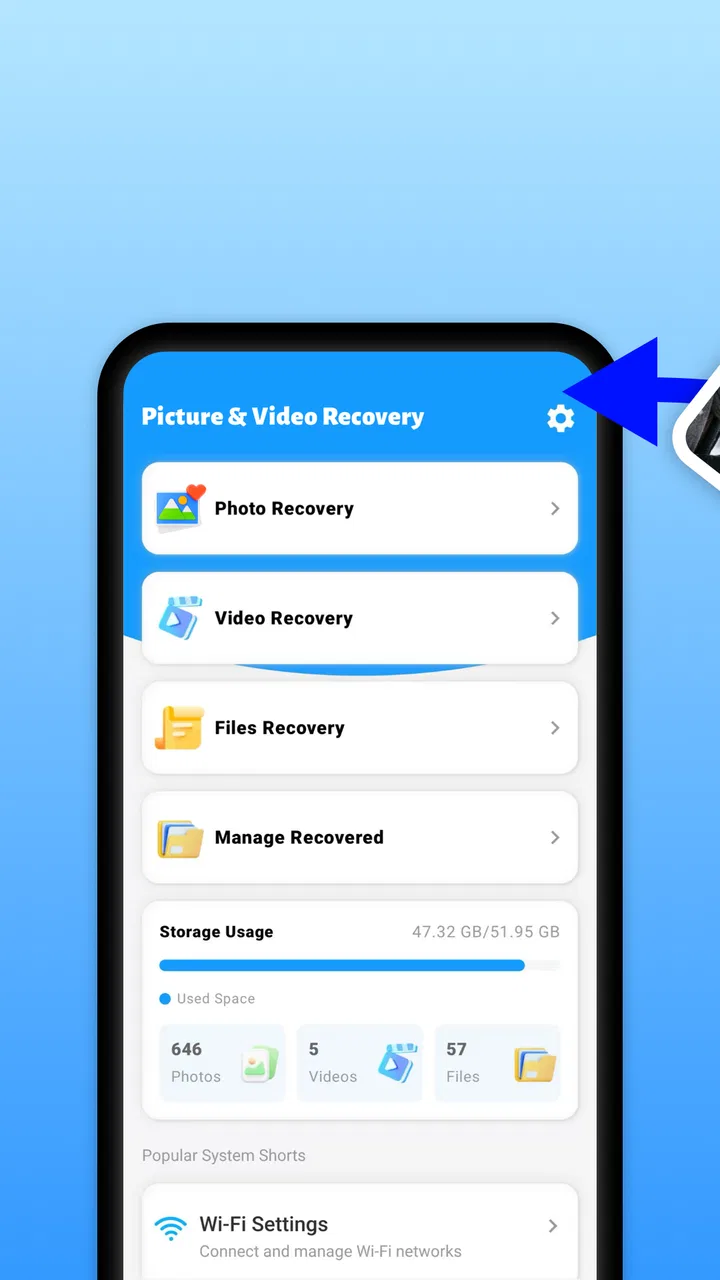
Accidentally deleting a photo can feel much worse than it should, especially when the image is tied to a person, a trip, or a moment that cannot be recreated. Picture & Video Recovery is a free Android utility from Easy Apps & Tools Lab that focuses on one clear job: helping you look for deleted pictures and videos. I found its appeal in that narrow purpose. It is not trying to replace a full file manager or become a general phone-maintenance suite. It is built around the moment when you realize a visual file has disappeared and want to check whether it can be brought back.
That focus makes the app easy to understand, but it also calls for realistic expectations. Recovery tools can only work with what remains accessible on a device. A scan is not a promise that every deleted file will return, and a successful result still needs to be checked carefully before you rely on it. My overall impression is that this is a practical first step for ordinary Android users who want a simple recovery attempt without immediately turning to a desktop program or a complicated technical process.
What the recovery capability really offers
The important capability here is the search for deleted photos and videos. That sounds simple, yet the value is in the timing. If I notice a missing image soon after deleting it, I would rather make a quick recovery attempt than spend time searching through unrelated storage tools. The app gives that situation a dedicated place to start.
You May Also Like

 Blood Strike: 2.5 Anniversary
Blood Strike’s Loadouts Turn Every Drop Into a Tactical Gamble
A close look at Blood Strike’s custom loadouts: how fast access to signature weapons reshapes its battle royale rhythm, rewards preparation, and narrows the gap between fights.

 Pandora - Music & Podcasts
Pandora’s Music Is Easy to Start, but Harder to Recover
Pandora’s strength is its low-effort path from a seed to a station. Its weak spot is how much confidence it asks you to place in connection, setup, and quiet recovery.

 8 Ball Pool
 Is Built on Rivalries, Rematches, and Routine
A close look at the rivalries, rematches, shared routines, and unanswered safety questions that turn a quick pool match into a persistent mobile community.

 Samsung Music
’s Quiet Strength Is Playing What You Already Own
Its reach comes less from spectacle than from dependable access to a personal library. That simplicity is both the app’s strongest retention engine and its ceiling.

 AccuWeather: Weather Radar
AccuWeather Review: A Quick, Clear Forecast for Everyday Decisions
For everyday plans, the best forecast is the one you can understand quickly. AccuWeather makes rain timing, radar, and local conditions easy to act on, with a few trade-offs.

 Hill Climb Racing
Why Hill Climb Racing Still Turns Crashes Into One More Run
A tiny car, a bumpy hill and one more upgrade: Hill Climb Racing keeps resurfacing because its simple chaos makes every near-miss feel personal.
More From Our News Desk



Picture & Video Recovery is listed as a Tools app, and that description fits the experience I would expect from it: practical, direct, and centered on a device task rather than entertainment or social sharing. Its store summary presents quick recovery as the main benefit, while the short description identifies it as a picture recovery tool. Those details set the right expectation. I would open it because something is missing, not because I want a photo organizer or a backup service.
The developer is Easy Apps & Tools Lab, and the app is free to use. It is intended for Everyone, which makes it approachable for a family member who may not be comfortable with advanced Android storage terminology. It supports Android 8.0 and newer, so compatibility is broad enough for many phones still in everyday use. The current version is 1.0.4, and the app has passed the one-million-install mark, giving it a substantial user base without turning that figure into a guarantee about an individual recovery result.
The most useful way to think about it is as a recovery attempt, not a time machine. Deleted files can become harder to retrieve as a phone continues writing new data. New photos, downloads, app caches, and updates may occupy space that once belonged to the deleted file. For that reason, I would stop taking new pictures and avoid unnecessary downloads before scanning. That small change in behavior can matter more than repeatedly pressing a recovery button.
Why a focused tool can be better than a general file manager
Android already includes file-management options, gallery trash folders, and cloud-photo services on many devices. Those are often the first places I would check, because a file may not be permanently deleted at all. A gallery’s recently deleted area is usually more straightforward when it contains the missing item. Cloud backup is even better when the image was synchronized before deletion.
The advantage of a dedicated recovery app appears when those usual places do not immediately solve the problem. Instead of navigating several storage folders and guessing which file types to inspect, I can use a tool aimed specifically at visual media. That is especially useful for someone who knows the approximate moment or subject of the missing file but does not know where Android stored it.
There is a trade-off, though. A general file manager is better for moving, renaming, sorting, and inspecting files that still exist. A cloud backup is better for dependable long-term protection. Picture & Video Recovery is more specialized: its value rises when deletion has already happened, but it should not be treated as a replacement for backups. I would use it alongside good storage habits, not instead of them.
How I would approach a real recovery attempt
My first step would be to stop changing the phone unnecessarily. I would not install several recovery apps one after another, record a new video, or download a large game while hoping the original file remains recoverable. Each extra storage action can make the situation less favorable. I would also check the phone’s gallery trash and any photo-backup account before scanning, since an intact copy is normally easier and safer to restore.
After opening Picture & Video Recovery, I would begin with the app’s recovery workflow and allow it to inspect the device as requested. The practical goal is not merely to find a file with a familiar name. I would look for a recognizable thumbnail, compare the image dimensions when available, and check whether the video opens correctly. Recovery results can include duplicates, previews, or files with unhelpful names, so visual verification is important.
I would then restore only the items I actually need. Saving everything at once can make the result harder to organize and may consume storage quickly, particularly when videos are involved. A better workflow is to recover a small group, open those files, and copy the confirmed results to a safe location. If the app presents many similar images, sorting by appearance and approximate date is more useful than trusting filenames alone.
One practical tip is to prepare a destination before starting. If the phone is nearly full, a recovered video may fail to save or may leave too little room for normal use. Clearing obvious temporary clutter can help, but I would avoid deleting more personal files during the cleanup. If I have access to a computer or another storage location, I would move confirmed recoveries there after checking them rather than keeping the only copy in the same place where the accidental deletion occurred.
A realistic everyday situation
Imagine I delete a short video from a family gathering while trying to remove several unwanted clips. Later that evening, I realize the wrong item was selected. I would first check the gallery’s deleted-items area and any backup service I already use. If the clip is not there, I would stop recording new content, open Picture & Video Recovery, and scan for recoverable video files.
The result might not appear with the original filename, so I would preview candidates and look for the scene rather than relying on labels. If I found the correct clip, I would restore it, play it from beginning to end, and then place a verified copy somewhere separate. If the scan returned only a partial file or a thumbnail, I would not mistake that for a complete recovery. The important benefit is that the app gives me a focused next action instead of leaving me to search the entire phone blindly.
This scenario also shows why speed matters. Waiting several days while filling the phone with new media could reduce the chance of finding the original data. The app is most useful when it becomes part of an immediate response: stop writing new data, check simple recovery locations, scan, verify, and secure the result.
What the app cannot replace
I would not choose this app as my main protection against future loss. A recovery utility reacts after the mistake; a backup prevents the mistake from becoming a disaster. For irreplaceable family photos, travel images, or work recordings, automatic backup remains the stronger habit. A recovery attempt may help when backup was disabled, delayed, or unavailable, but it should be viewed as a second chance rather than a dependable archive.
I would also be cautious with files that were deleted a long time ago, especially if the phone has been heavily used since then. The longer the gap, the more opportunities there are for new data to occupy the old storage space. Large videos can be particularly troublesome because they require more continuous storage than a small picture. A scan may find something recognizable without producing a fully usable original.
Another limitation is that recovery results may need manual sorting. If the app finds multiple versions, cached previews, or files with generic names, the user has to decide which copy is genuine. That is not necessarily a flaw in the recovery concept, but it does add work. Someone expecting a perfectly labeled gallery restored with one tap may find the process less tidy than expected.
Privacy is another reason to be deliberate. Deleted photos and videos can be personal, and any recovery tool should be used thoughtfully. I would review what the app asks to access, avoid recovering sensitive material into a shared folder, and remove unwanted recovered copies afterward. I would also install it only from a trusted app source and keep the recovery session focused on the device and files involved.
When another option is the better choice
If the file is visible in a gallery trash folder, I would use that first. It is usually the clearest route because the original context and filename may still be intact. If the image was backed up, I would download the backup copy rather than depend on a storage scan. Those alternatives are more suitable when available because they are designed around preservation rather than post-deletion searching.
A desktop recovery program may be more appropriate for a serious work situation involving a large batch of files, a damaged storage device, or a phone that no longer behaves normally. That route can be more complicated and may involve extra equipment or technical knowledge, so it is not automatically better for a single accidentally deleted picture. Picture & Video Recovery makes more sense when I want a convenient first attempt directly on a compatible Android phone.
Likewise, a file manager is the better choice when the photo was not deleted but merely moved. Before assuming loss, I would search common folders such as camera, downloads, messaging-media, and app-specific directories. A recovery app should come after that basic check, not before it. This order avoids unnecessary scanning and reduces the chance of confusing an existing file with a recovered one.
Who is likely to benefit most
I see the strongest fit for casual Android users who occasionally delete media by mistake and want a straightforward tool ready for that moment. It can also help people who receive many images through messaging apps and later discover that an important attachment has vanished from the expected gallery view. The free price removes a barrier for a one-time recovery attempt, while the Everyone rating makes it less intimidating for nontechnical users.
It is also useful for someone who has already checked the obvious places and needs a focused search rather than a full lesson in Android storage. The app’s narrow purpose helps keep the workflow understandable: open a recovery tool, inspect results, verify the file, and save it safely. That simplicity is more valuable than a long list of unrelated maintenance features in a stressful situation.
I would recommend skipping it if the user needs guaranteed archival protection, advanced forensic recovery, or a complete file-management system. It is not the right answer for preventing future loss, and it should not encourage anyone to postpone backups. I would also avoid treating a successful scan as proof that every deleted item is recoverable. The realistic value lies in improving the odds of finding something that still remains accessible.
My final take after weighing the trade-offs
Picture & Video Recovery is at its best as a quick, focused response to accidental deletion. Its central capability is easy to understand, and the free Android tool is accessible to a wide audience. I like the idea of having a dedicated recovery option when the gallery trash and backup checks do not help, particularly if I act quickly and verify every result instead of assuming that a thumbnail is a complete file.
Its limitations are just as important. Recovery depends on what is still present on the device, results may require sorting, and the app cannot replace regular backups. The most sensible workflow is to stop using the phone heavily, check built-in and cloud recovery options, scan with the app, restore selectively, and place confirmed files somewhere safer.
For that specific job, I would keep it in mind as a practical first attempt rather than a guarantee. If a deleted picture or video matters enough to recover, the app gives me a clear next step without requiring a technical setup. If the file is truly irreplaceable, I would pair that recovery attempt with a stronger long-term backup routine so I am not depending on chance the next time something disappears.
FAQs for Picture & Video Recovery
01What is Picture & Video Recovery and how does it work?
Picture & Video Recovery is an app designed to help users recover deleted photos and videos from their devices. It scans the device storage to identify retrievable files, allowing users to restore them easily. The app leverages advanced algorithms to ensure a high recovery success rate, making it a handy tool for accidental deletions.
02Is Picture & Video Recovery safe to use on my device?
Yes, Picture & Video Recovery is designed with user safety in mind. It does not require root access, which means it operates within the standard permissions of your device. The app ensures that your data remains private and does not access personal information without consent.
03What types of files can Picture & Video Recovery restore?
Picture & Video Recovery primarily focuses on recovering image and video files. It supports various formats including JPEG, PNG, MP4, and AVI. While it excels in these formats, it may also support other multimedia files, though the recovery success might vary depending on the file type and condition.
04Does Picture & Video Recovery require an internet connection?
No, Picture & Video Recovery performs scans and recovers files without the need for an internet connection. This offline capability means you can recover your lost media files anytime and anywhere, making the app convenient and reliable even in areas with poor connectivity.
05Are there any limitations to the free version of Picture & Video Recovery?
The free version of Picture & Video Recovery allows users to scan and preview recoverable files. However, to actually restore the files, you might need to upgrade to the premium version. The premium version usually offers additional features such as unlimited recovery and enhanced support.
Pros
- Recovers deleted photos efficiently.
- Supports a wide range of file formats.
- User-friendly interface and design.
- Quick scanning process for lost files.
- No need for root access on Android.
Cons
- Limited free version functionality.
- Recovery success not guaranteed for all files.
- May recover unwanted duplicates.
- Ads can be intrusive at times.
- Requires a stable internet connection.

Picture & Video Recovery
Gallery